mirror of
https://github.com/lensapp/lens.git
synced 2025-05-20 05:10:56 +00:00
 3e986e4057
Resolved conflicts while rebasing after pulling from remote

Exit pipeline if extensions build or tests fail (#1370)

Signed-off-by: Lauri Nevala <lauri.nevala@gmail.com>

Simplify pages/menus/registry extension api internal implementation (#1364)

Signed-off-by: Jari Kolehmainen <jari.kolehmainen@gmail.com>
Co-authored-by: Roman <ixrock@gmail.com>

Resolved conflicts in rebase from master

Updated docs to sentence case throughout

Changed mkdoc.yml nav to sentence case

Signed-off-by: Paul Williams <pawilliams@mirantis.com>

Changed headings to sentence case throughtout docs

Signed-off-by: Paul Williams <pawilliams@mirantis.com>

Changed all titles and headings back to title case throughout docs and in mkdocs.yml nav

Signed-off-by: Paul Williams <pawilliams@mirantis.com>

Updated docs to sentence case throughout

Changed mkdoc.yml nav to sentence case

Signed-off-by: Paul Williams <pawilliams@mirantis.com>

Changed headings to sentence case throughtout docs

Signed-off-by: Paul Williams <pawilliams@mirantis.com>

Changed all titles and headings back to title case throughout docs and in mkdocs.yml nav

Signed-off-by: Paul Williams <pawilliams@mirantis.com>
1.3 KiB
1.3 KiB
Preferences
Color Themes
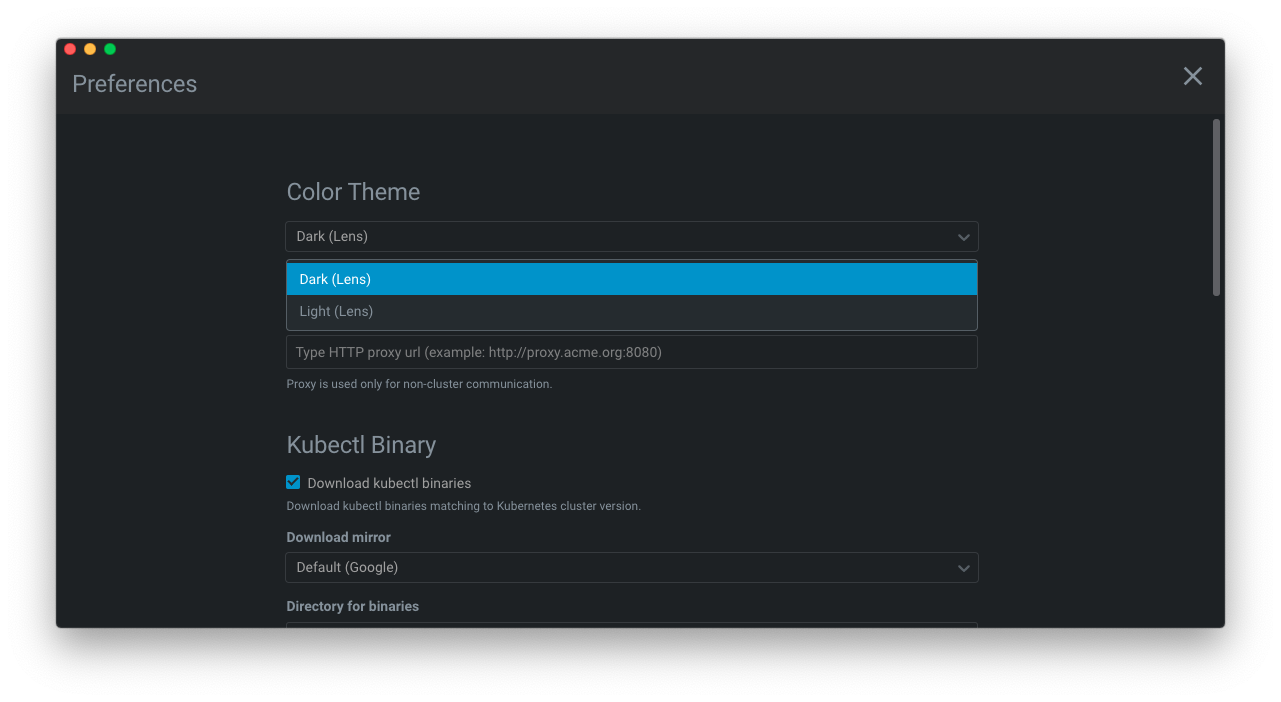
The Color Themes option in Lens preferences lets you set the colors in the Lens user interface to suit your liking.
- Go to File > Preferences (Lens > Preferences on Mac).
- Select your preferred theme from the Color Theme dropdown.
Telemetry & Usage Tracking
Lens collects telemetry data, which is used to help us understand how to improve the product. For example, this usage data helps us to debug issues and to prioritize new features. While we appreciate the insights this data provides, we also know that not everyone wants to send usage data. Please see our privacy statement to learn more.
Disable Telemetry Reporting
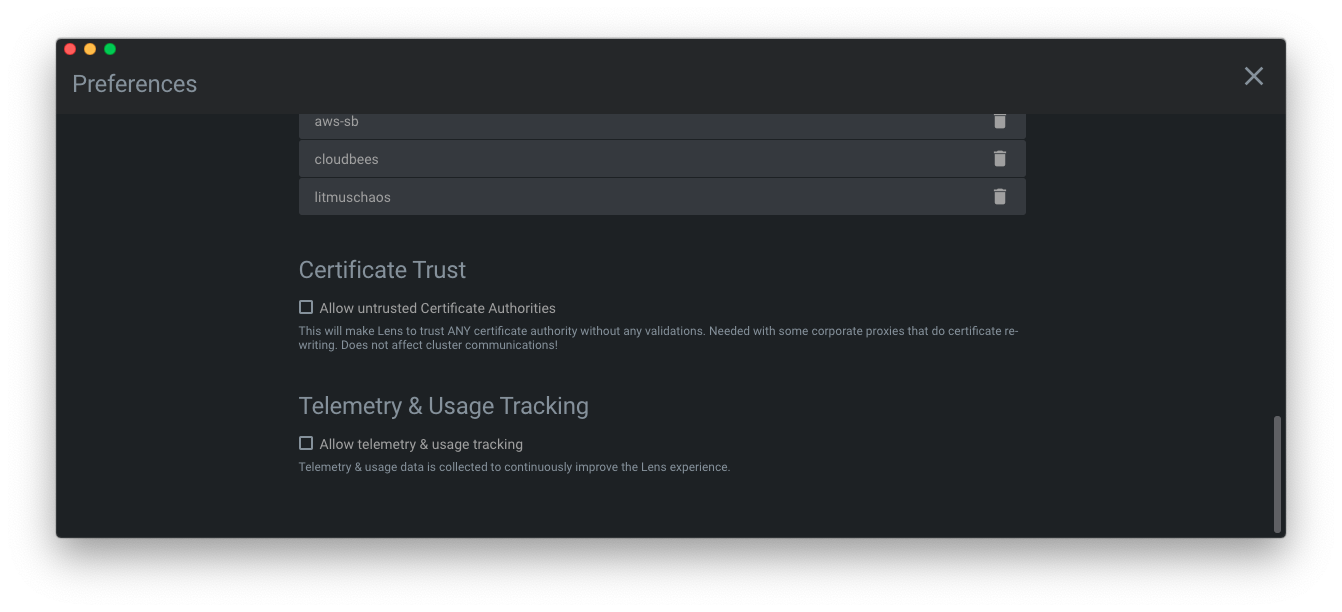
If you don't wish to send usage data to Mirantis, you can disable the "Telemetry & Usage Tracking" in the Lens preferences.
- Go to File > Preferences (Lens > Preferences on Mac).
- Scroll down to Telemetry & Usage Tracking
- Uncheck Allow Telemetry & Usage Tracking.
This will silence all telemetry events from Lens going forward. Telemetry information may have been collected and sent up until the point when you disable this setting.